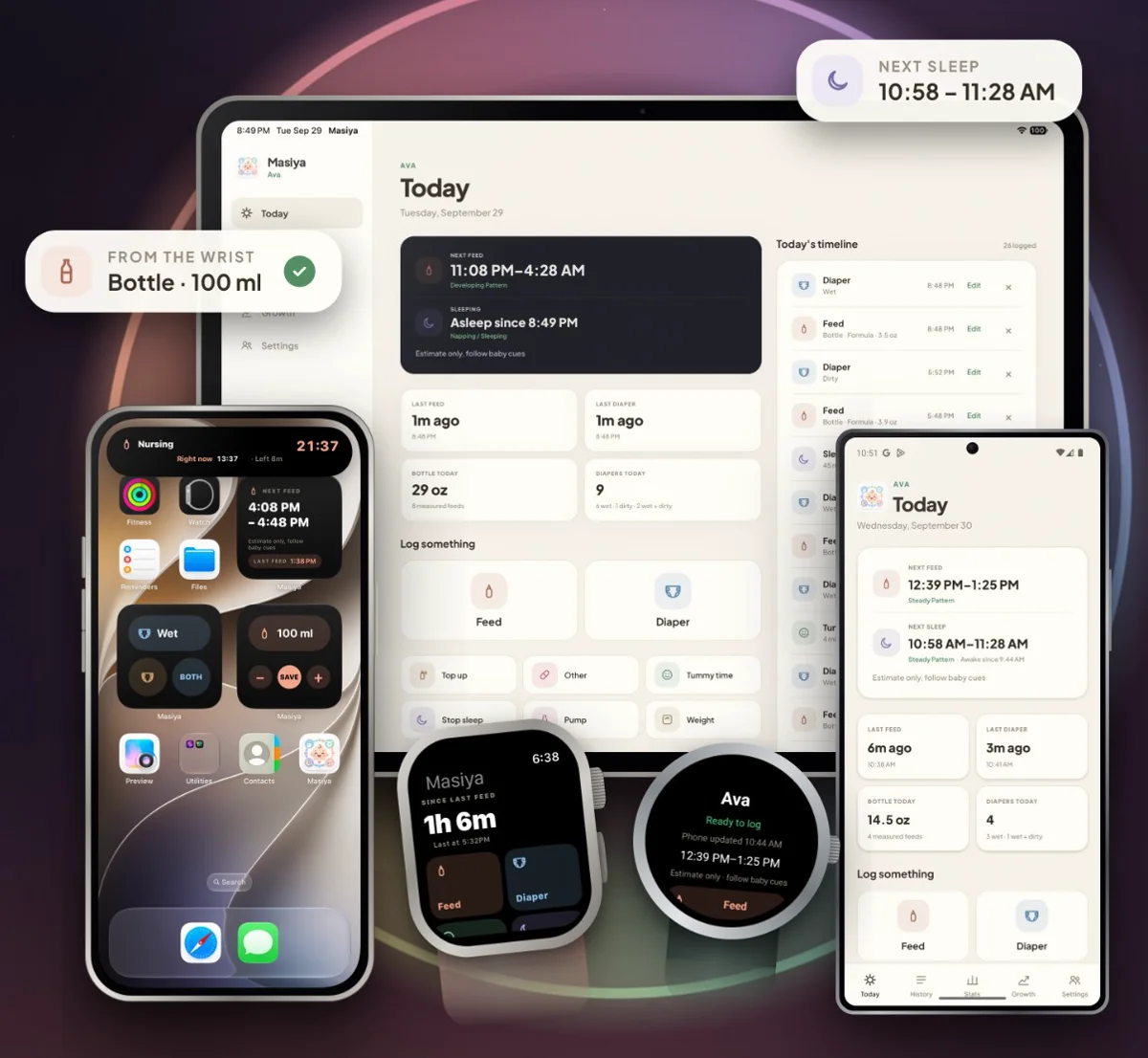
Masiya is a baby tracker built around feeds. Log a bottle or a nursing session in two taps, then see a next feed window learned from your baby’s last seven days.
Free tracking. No account needed to get started. Optional Masiya Family subscription.
No account to start
Works with no signal
Apple Watch and Wear OS
iPhone · iPad · Apple Watch · Android · Wear OS
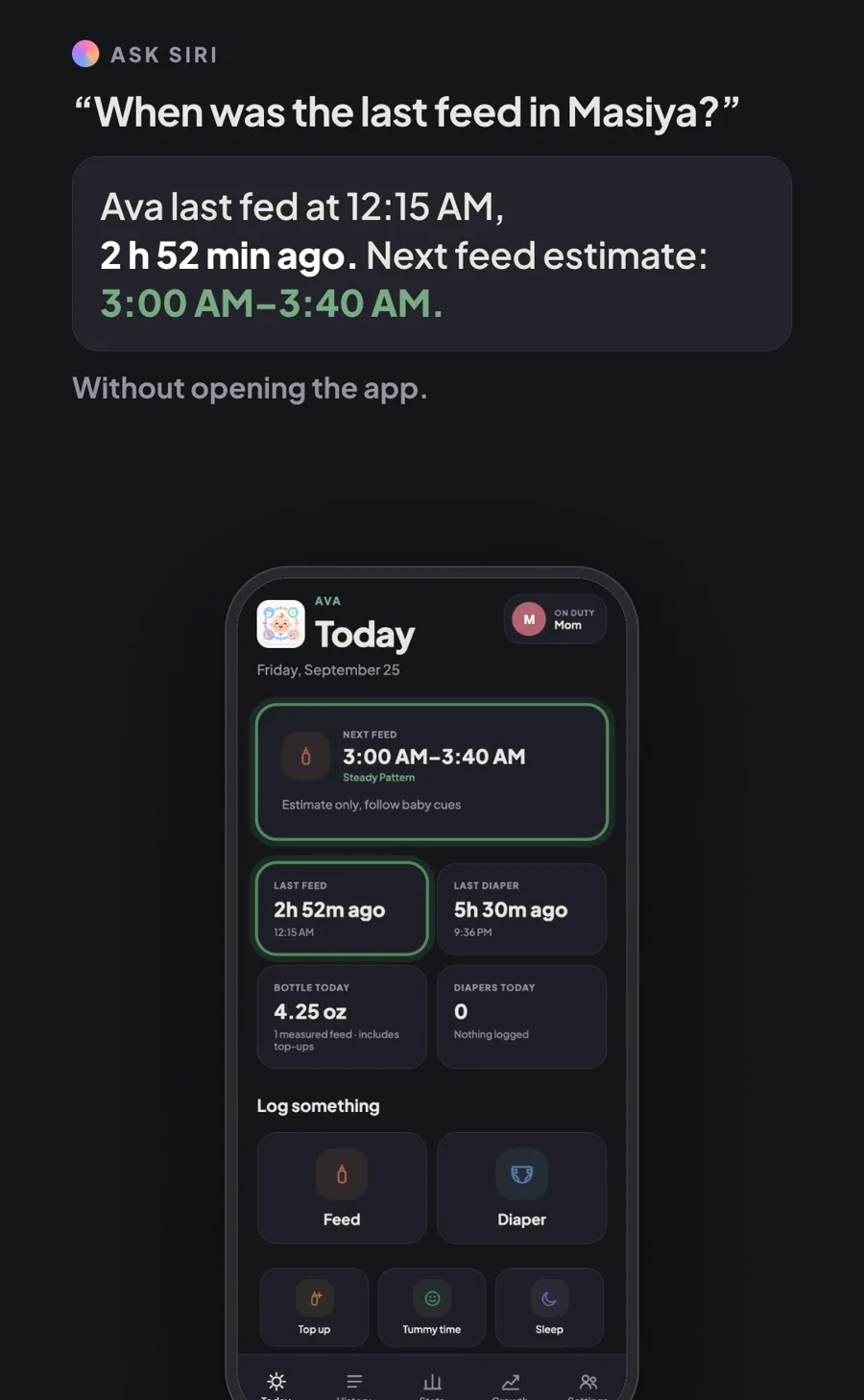
3:07AM
When was the last feed?
You’re half asleep, the baby is stirring, and nobody remembers. On iPhone, just ask Siri. Masiya answers out loud with the last feed and the next feed window, without you opening the app.
What Masiya does
Made for the middle of the night.
Show only the buttons you use. Everything else stays out of the way.
Next feed
A window, not a promise.
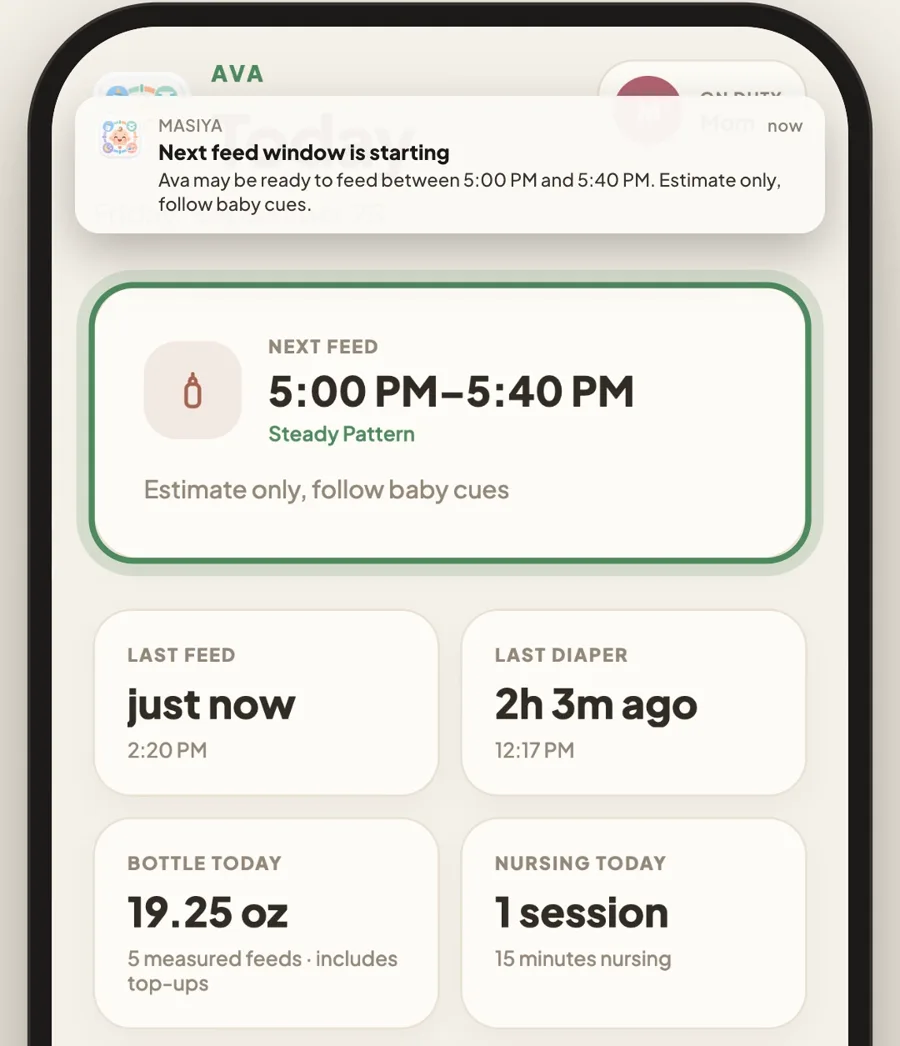
Masiya looks at the gaps between feeds over the last seven days, favors ones from a similar time of day, and shows a range for the next one. Every estimate says the same thing: follow baby cues.
Learns your baby, not a rule. The window appears after four feeds across three days.
One gentle nudge. A single reminder when the window opens, only if you switch it on.
The next nap, too. An optional sleep window, learned from how long your baby stays awake.
Skip the app
Log from your Home Screen. Or your wrist.
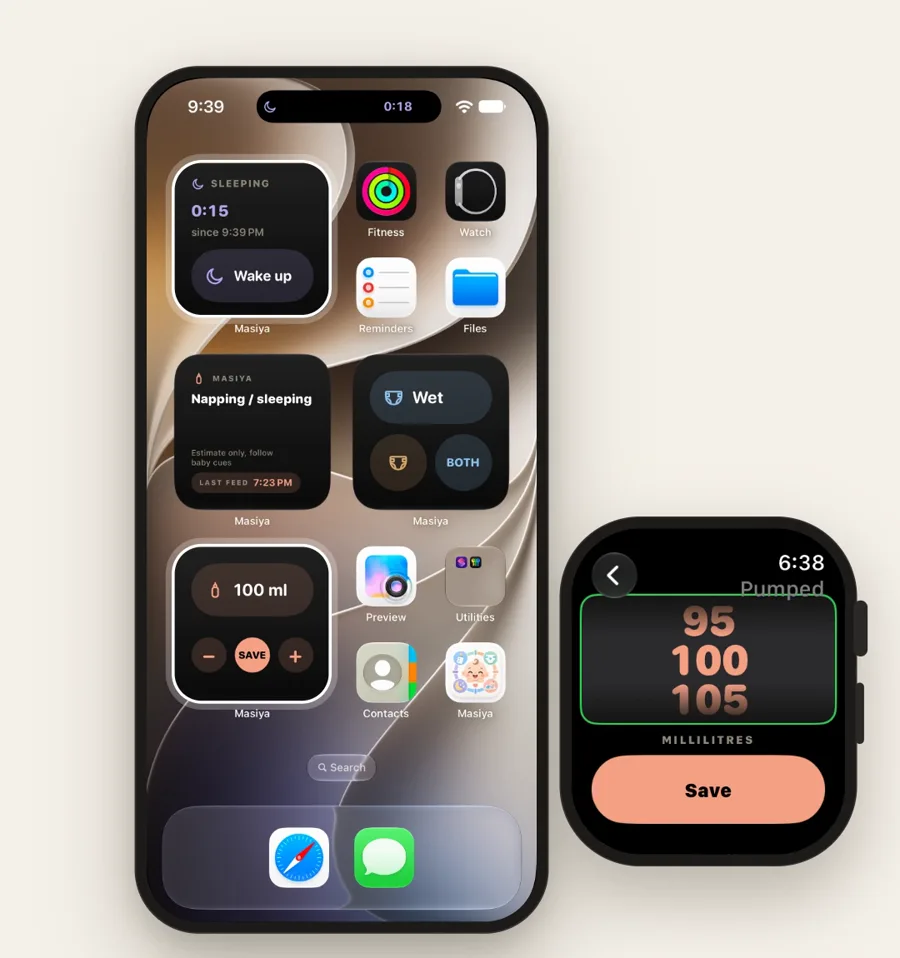
Widgets, your watch, your Lock Screen and, on Apple devices, Siri all write to the same record, so the log happens where your hands already are.
Widgets. Save a bottle with plus and minus, or a diaper in one tap.
Apple Watch and Wear OS. Feeds, diapers, pumping, sleep and tummy time from your wrist, held there until your phone confirms the save.
One timer everywhere. Start a nap on your watch and stop it on your phone. It’s saved once.
Glance, don’t unlock. Nursing, sleep and tummy time count up on your Lock Screen.
Feeding
Record feeds the way they happened.
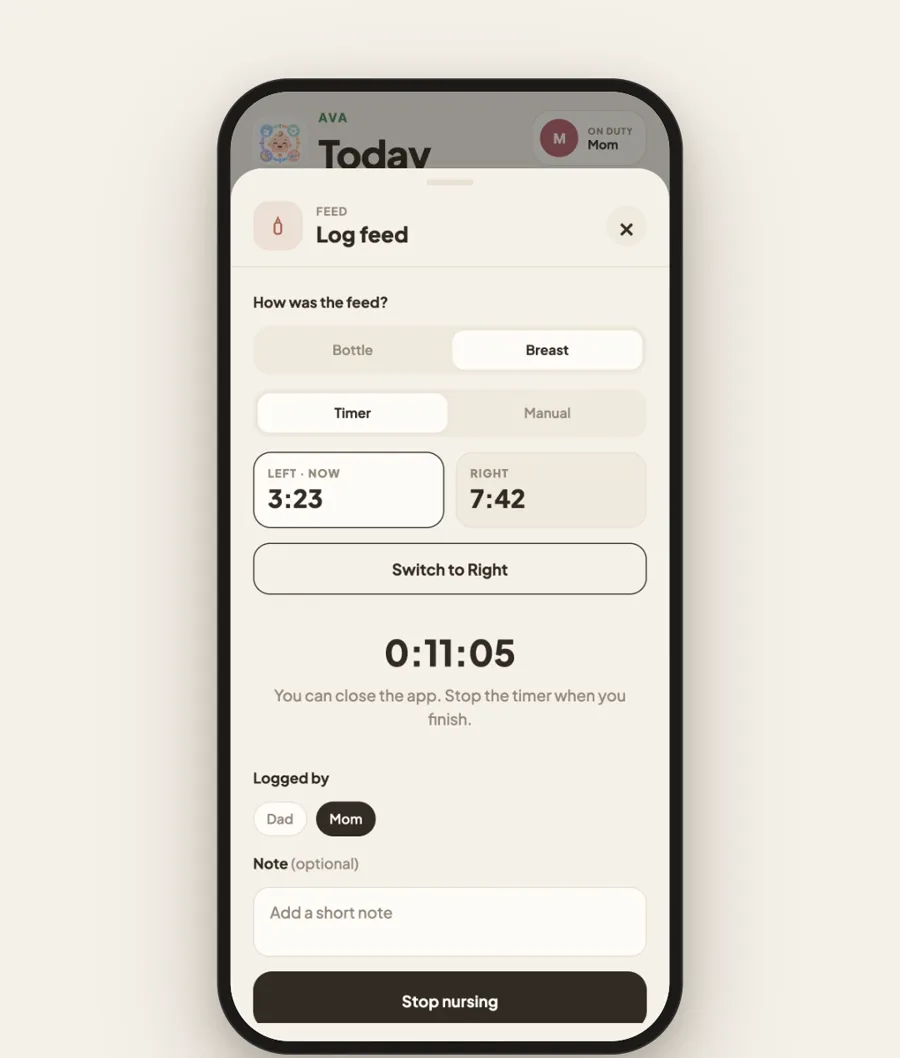
Bottle, nursing or both. Masiya keeps the detail you need without turning it into guesswork.
Time each side. Tap Switch sides and each breast keeps its own clock. Masiya suggests where to start next time.
Same bottle again? Feed opens at the amount and milk you last saved. Just tap Save.
Mixed bottles, clearly recorded. Formula and pumped milk kept separately, with the total together.
Bottle and nursing kept apart. Nursing minutes never become guessed ounces.
Look back
Headed to the pediatrician? Bring one page.
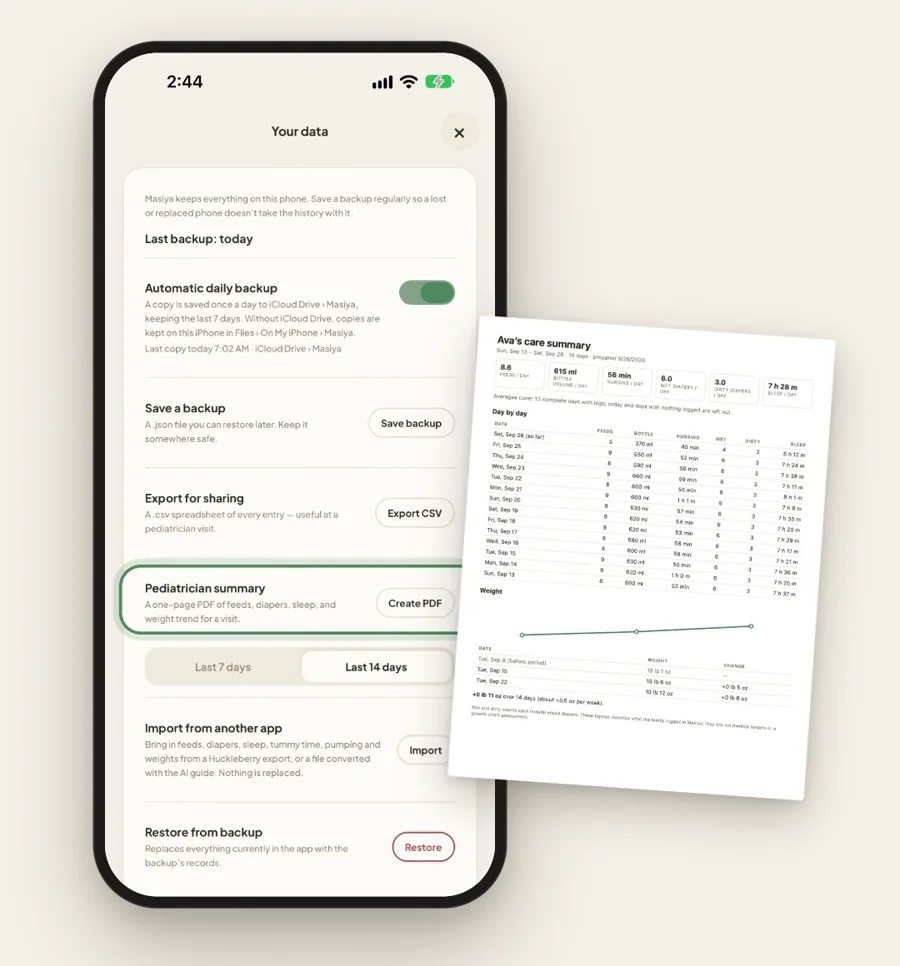
History, weekly charts and a personal weight journey, plus a one page summary of the last 7 or 14 days to share or print at a visit.
History. The last 24 hours, yesterday, 7 days or 30 days, with daily averages over complete days.
Stats. A bar per day for bottle volume, nursing, wet and dirty diapers, sleep and tummy time.
Growth. Dated weight checks and the change between them. A personal history, not a percentile chart.
Your data
Free tracking stays on your devices.
The free tracker needs no account, and nothing you log leaves your devices unless you choose. Masiya keeps working in airplane mode, in a hospital basement, or on a plane.
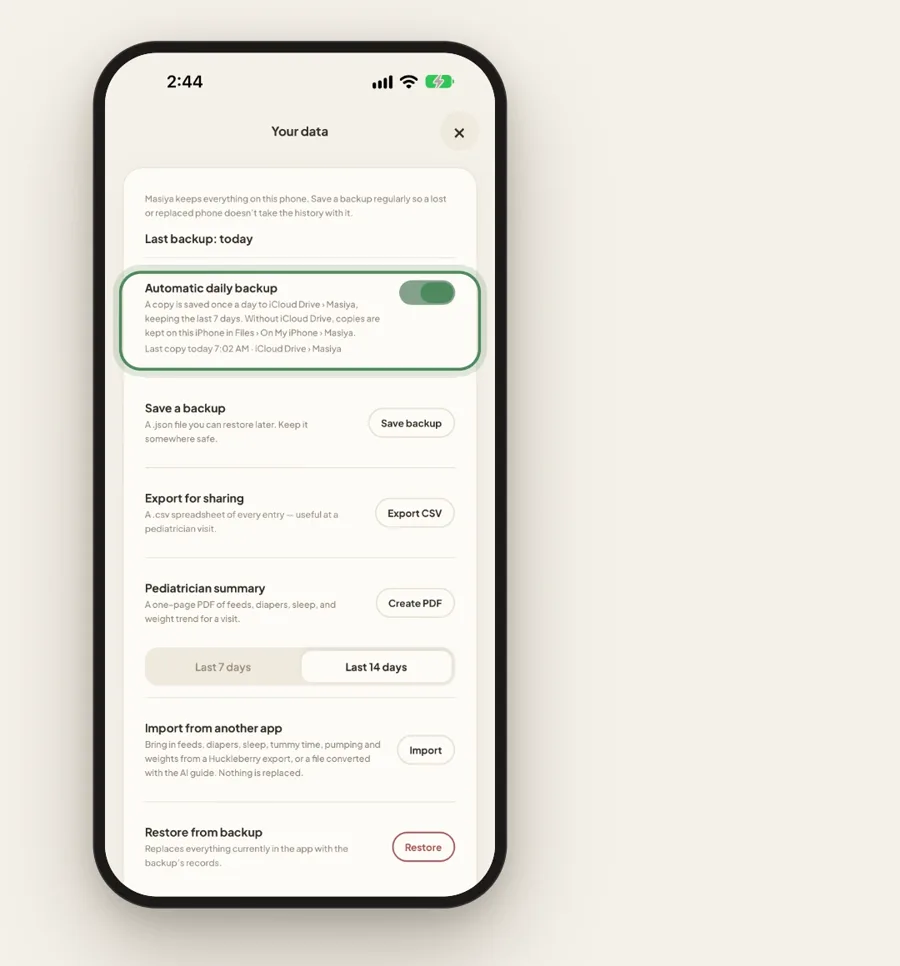
Backed up every day. On iPhone and iPad, a copy saves to your own iCloud Drive, not to our server.
Take it with you. Save a backup file anytime, or export a spreadsheet for Numbers, Excel or Google Sheets.
Switching apps? Import your history from Huckleberry, and undo the whole import in one tap.
How it works
Set up in a minute.
1
Tell Masiya about your baby
Your baby’s name, how you feed, and ml or oz. Feed opens where you usually start.
2
Log in two taps
Choose the buttons on Today, from Feed and Diaper to sleep, tummy time and pumping. Hide the ones you don’t use.
3
See what’s next
After four feeds across three days, the next feed window appears on Today, your widgets and your watch.
A live timer, or fell asleep and woke up times. Overnight sleep is handled.
Tummy time
A timer that keeps going when the app closes, or a quick duration afterward.
Diapers
Wet, dirty or both in one tap, with a daily count on Today.
Other
Medicines, vaccines and anything else worth noting, with your own note.
Pumping
Left, right or both, and the total amount.
Caregivers
With Masiya Family, a partner, grandparent or night nurse logs to the same history. Every entry shows who logged it.
Fix any log
Edit every field of any entry. Deleting always asks first.
Warm, Clean, Night
Or Auto, which follows your phone’s dark mode.
Free and Masiya Family
Free to track. Family when you want to share.
Everything above works free on your own devices. Masiya Family adds one shared history for everyone who looks after your baby.
Free
On your own devices, with no account
Feeds, diapers, sleep, tummy time, pumping, weight and Other
Next feed and next sleep estimates, with an optional reminder
Widgets, Apple Watch and Wear OS
Backups, spreadsheet export and the pediatrician summary
Masiya Family
Monthly or yearly subscription
Everything in Free
One shared history on every phone, iPad and watch in your family
Invite caregivers with a code. They join free.
Every entry shows who logged it
Current prices and any available trial offer are shown in the app before you subscribe. Family history syncs through Google Firebase in the United States. Privacy policy
“Masiya grew out of a tracker I built for my own family. After months of logging the everyday details, I wanted a baby app that kept the essentials close, let the extras stay optional, and treated predictions as helpful estimates, not instructions.”
MushairFounder of Masiya
FAQ
Questions parents ask.
Does Masiya tell me when to feed my baby?
No. It shows an estimate from your own logged feeds. Follow your baby’s cues and your pediatrician’s guidance, not an app’s suggested time.
How is the next feed window worked out?
Masiya looks at the gaps between feeds over the last seven days, favors ones from a similar time of day, and adds a typical gap to the latest feed. It’s calculated on your device, and it waits for at least four feeds across three days before it shows anything.
Can my partner see updates on another phone?
Yes, with Masiya Family. The family owner subscribes and gets an invitation code to share with each caregiver, who joins free. Everyone logs to one shared history, and every entry shows who logged it.
What does Masiya Family cost?
Masiya Family is a monthly or yearly subscription, bought by the family owner. Current prices and any available trial offer are shown in the app before you subscribe. The free tracker on your own devices stays free.
Do I need an account?
Not for the free tracker. Install Masiya, enter your baby’s name, and start logging. You only create an account to start or join Masiya Family.
Where are my records stored?
With the free tracker, on your own devices, and without an account Masiya uploads nothing. On iPhone and iPad, Masiya can also save a daily copy to your own iCloud Drive. With Masiya Family, your family’s history is stored with Google Firebase in the United States so every device stays in sync.
Does it work without signal?
Yes. Logging, timers and estimates all work in airplane mode, so it keeps going in a hospital basement or on a plane.
Can I bring my history from another app?
Yes. Masiya reads Huckleberry exports directly. For other trackers, a step by step guide helps you convert an export into a file Masiya can read. You can undo an import in one tap.
Does it work with a watch and voice?
Masiya has apps for Apple Watch and Wear OS. Log feeds and diapers or start and stop timers from your wrist, and watch logs wait safely until your phone confirms they’re saved. Voice commands use Siri on iPhone and Apple Watch, so they aren’t available on Android.
Is the weight chart a medical growth chart?
No. It shows the weights you recorded and the change over time, not percentiles or a clinical assessment.
Can I track twins?
Not yet. Masiya follows one baby for now.
Is there a guide to using Masiya?
Yes. The how to guide walks through every screen, from the first setup to logging on Apple Watch, with screenshots of each step.
Where can I download Masiya?
Masiya is available on the App Store for iPhone and iPad, and on Google Play for Android. Choose your store using the download links on this page.
Start tracking with Masiya today.
Download Masiya for iPhone, iPad or Android and keep everyday baby care close.